eSIM vs Physical SIM: How to Register TNT eSIM Online
With the rise of eSIM technology, many users in the Philippines are curious about how to register their TNT eSIM compared to the traditional physical SIM. If you’re thinking about switching to an eSIM or registering your existing TNT eSIM, this guide will walk you through everything you need to know.
What Is an eSIM?
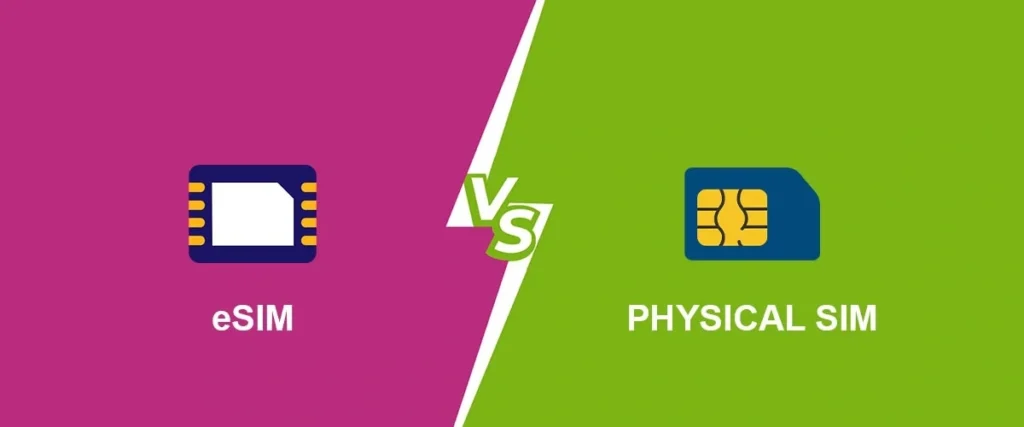
An eSIM (Embedded SIM) is a digital SIM card that is built directly into your device, allowing you to connect to the mobile network without the need for a physical SIM card. Unlike physical SIMs, an eSIM is activated digitally, making it more convenient for users who frequently switch networks or travel internationally.
eSIM vs Physical SIM: Key Differences
| Feature | eSIM | Physical SIM |
|---|---|---|
| Installation | Digital, no physical card required | Requires a physical SIM card |
| Convenience | Can store multiple profiles (network switching) | One network profile per SIM |
| Device Compatibility | Available on newer devices (smartphones, tablets, wearables) | Available on most mobile devices |
| Activation | Activated digitally, no swapping needed | Activated by inserting into device |
| Portability | More portable, easier to switch devices | Requires physical card swapping |
Why Choose eSIM for TNT?
Choosing eSIM for your TNT SIM has many advantages:
No Need to Swap SIM Cards: With eSIM, you don’t need to physically change SIM cards when switching devices or networks.
More Storage: eSIMs can store multiple profiles, so if you travel a lot, you can switch between local networks easily.
Cleaner Design: Since there’s no physical card, devices can be designed with more internal space for other components.
How to Register Your TNT eSIM Online
If you’ve got an eSIM-enabled device and want to register it for TNT services, follow these easy steps:
Step 1 — Ensure Your Device Supports eSIM
First, make sure your device supports eSIM technology. Many modern smartphones like the latest iPhones and Android devices (e.g., Samsung Galaxy) support eSIM.
Check your device’s specifications or consult the manufacturer’s website to confirm eSIM compatibility.
Download the GigaLife App or Use the TNT Website
To register your TNT eSIM, you can use the GigaLife app or the official TNT website. The app is available on both iOS and Android.
Enter Your TNT eSIM Number
If you’ve already activated your eSIM profile:
Receive the OTP and Verify
Once you’ve entered your TNT number:
Fill Out Your Personal Information
After OTP verification, you will be asked to provide your personal details, such as:
Make sure all the details are accurate, as mismatched information can cause registration delays.
Upload Your Valid ID and Selfie
As part of the registration process, you’ll need to upload:
Ensure both the ID and selfie are clear, well-lit, and readable. Poor-quality photos can lead to registration rejections.
Submit Your Registration
After verifying your details and uploading your ID and selfie, review all the information carefully, then click Submit.
You will receive a confirmation message once your TNT eSIM registration is successfully completed. The registration process can take up to 24 hours to be fully processed.
Troubleshooting eSIM Registration Issues
While registering your TNT eSIM, you may run into a few issues. Here’s how to fix them:
1. OTP Not Received
Check your signal: Ensure your eSIM has a stable signal.
Resend OTP: If you don’t get the OTP, click the “Resend OTP” option.
Check for network delays: Sometimes, network congestion can delay the OTP.
2. Uploading Photos (ID/Selfie)
Poor lighting: Take photos in well-lit areas to avoid blurry or shadowy images.
Check file size: Ensure your image files are within the allowed size limit.
Try another device: If your current device isn’t working for uploads, use another phone or computer.
3. Device Compatibility Issues
- Check eSIM compatibility: If your device doesn’t support eSIM, you may need to opt for a physical TNT SIM. YOU CAN ALSO READ: TNT SIM Registration for Businesses: Bulk Registration Tips
FAQs
Final Words
Switching to TNT eSIM offers several benefits, including more convenience and flexibility. Registering your TNT eSIM is simple as long as your device supports it and you follow the steps carefully. If you face any issues during the process, the TNT customer support team is always ready to help.
Choose the eSIM option today and enjoy a seamless mobile experience!