TNT Registration Law FAQs 2026
If you use a TNT SIM in the Philippines, the rule is simple: you still need to register your SIM under the SIM Registration Act. TNT sends users to the Smart SIM Registration Portal, and new TNT SIMs must be registered before they can be activated for calls, texts, and mobile data.
The law behind this is Republic Act No. 11934, also called the SIM Registration Act. It required existing subscribers to register within the original registration period, and it continues to require registration for new SIMs before activation. As of March 27, 2026, a Senate bill proposing amendments to the law has been filed, but it is still pending in committee, so RA 11934 remains the current law in force.
That means if you buy a new TNT SIM today, you should register it first. If you are checking an older number, you should confirm whether it is already registered through Smart’s official channels.
What is the TNT registration law?
The TNT registration law is the SIM Registration Act, or Republic Act No. 11934. It requires SIM users in the Philippines to register their mobile numbers with their telecom provider. For TNT users, registration is handled through Smart’s registration system and support channels.
Is TNT SIM registration still required in 2026?
Yes. For 2026, the practical rule is that new TNT SIMs must still be registered before activation. The old nationwide registration deadline mostly matters as background now, but the registration requirement itself did not disappear.
What is the official TNT registration link?
Use the official TNT page or go straight to the Smart SIM Registration Portal. TNT’s own site points users to Smart for SIM registration. Be careful with random “official link” websites that show up in search results but are not the main TNT or Smart domains.You can also read: TNT SIM Registration for Foreigners 2026
How to register your TNT SIM
Registering a TNT SIM is usually quick if your ID photo and selfie are clear.
First, open the official registration portal. Then enter your TNT mobile number and follow the OTP steps. After that, fill in your personal details, upload your ID and selfie, and submit the form. TNT and Smart also say you can ask for help through Smart Stores, the hotline, Messenger, or the app if needed.
A simple tip: take your ID photo in good light and make sure the text is easy to read. That can help avoid delays or rejection.
What information do you need?
For individual registration, TNT asks for your mobile number, full name, birth date, present address, sex, one valid ID, and a selfie photo. Smart’s prepaid registration form also includes optional alternate contact details in case more validation is needed.
What IDs are accepted?
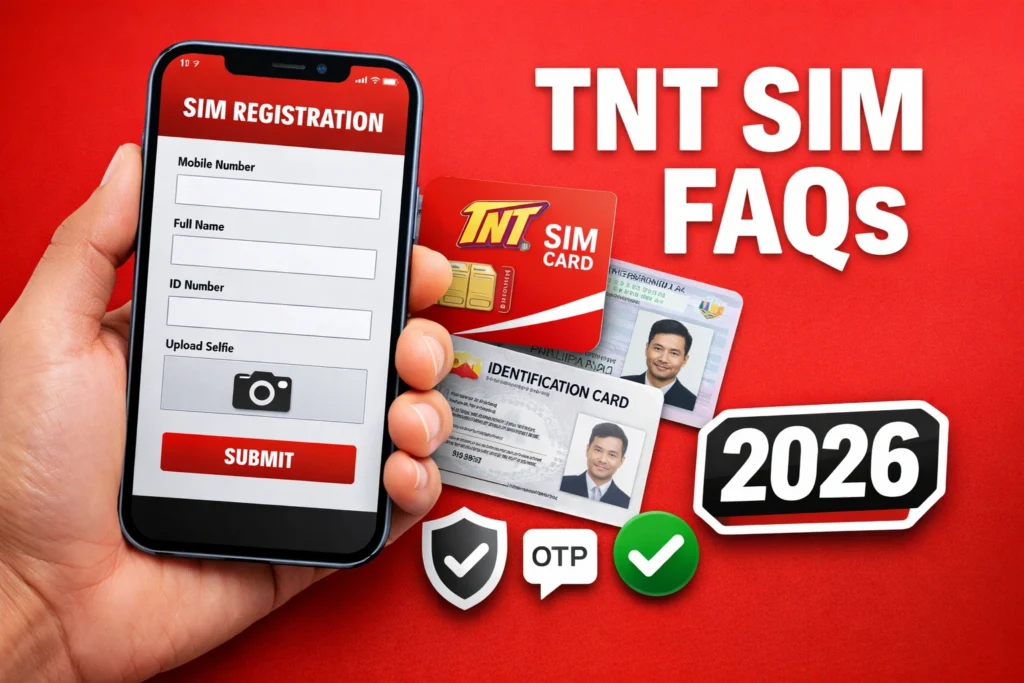
TNT says accepted IDs include examples such as a passport, Philippine Identification card, SSS ID, GSIS e-Card, and driver’s license, plus other valid government-issued photo IDs. Smart’s registration documents also list IDs such as PRC ID, UMID, senior citizen card, PWD card, voter’s ID, and more.
Is TNT SIM registration free?
Yes. TNT says SIM registration is free for both new and existing subscribers. The official site access for registration is also described as free of charge.
Can minors register a TNT SIM?
A minor can buy a SIM, but TNT says the SIM cannot be registered under the minor’s own name. It must be registered under a parent or legal guardian. Smart’s prepaid SIM registration terms say the same thing for subscribers under 18.
Can you use a student ID?
Yes, in some cases. TNT says if you are already 18 or older but do not have a valid government ID, you may upload a student ID, as long as it was issued for the current school year. If you are below 18, the SIM still needs to be registered under your parent or legal guardian.
I just turned 18. Can I move the SIM to my own name?
Yes. TNT says users who have just turned 18 can visit a Smart Store and request a transfer of ownership.
Are tourists and foreign nationals required to register?
Yes. Smart and TNT both say tourists and foreign nationals must also register their SIMs.
For tourists, the usual requirements include passport, proof of address in the Philippines, and a return ticket or another ticket showing the departure date and time. For other visa types, Smart lists passport, proof of address, ACRI-Card, and other supporting papers depending on the case, such as an alien employment permit or school registration for students.
A very important detail: Smart says SIMs registered by foreign nationals on a tourist visa are valid for only 30 days, unless the user submits an approved visa extension before expiry.
Can a business register multiple TNT SIMs?
Yes. Smart provides a bulk prepaid SIM registration form for juridical entities. That process uses an authorized signatory and business documents such as the company registration details, business name, business address, and the list of mobile numbers to be registered. Assisted channels are also used for this type of registration.
How do you check if your TNT SIM is already registered?
Smart Help says you can check through the GigaLife app by looking for the Registered or Unregistered badge beside your number. You can also use the Smart SIM Registration Portal and follow the earlier registration steps until the system confirms that your SIM is already registered.
What if your SIM is lost, stolen, or damaged?
TNT says a lost or stolen SIM should be reported to your telecom provider within 24 hours. For a damaged SIM, you can go to a Smart Store and apply for a replacement using the same registered number. TNT also says buying or selling a stolen SIM is prohibited.
Where can you get help?
TNT points users to Smart Stores, the Smart hotline, Smart Facebook Messenger, IVRS, and the app for assistance. TNT also lists *888 from a TNT mobile or (02) 8888-1111 from a landline as support options.
Simple tips to avoid problems
Use the official portal, not a lookalike site. Keep your control number or confirmation message. Upload a clear selfie and a readable ID photo. If you are a tourist, check the 30-day limit. If you are below 18, register under a parent or guardian. And if you are unsure whether your number is already registered, verify it in the app or the portal before doing anything else.
FAQs
Final Words
TNT SIM registration is still a live requirement in 2026 under Republic Act No. 11934. The safest move is to use TNT’s official page or Smart’s official SIM registration portal, prepare a valid ID and selfie, and finish registration before trying to activate a new SIM. If your case is a little different, like being under 18, using a tourist SIM, or registering for a business, Smart and TNT already have official paths for those too.