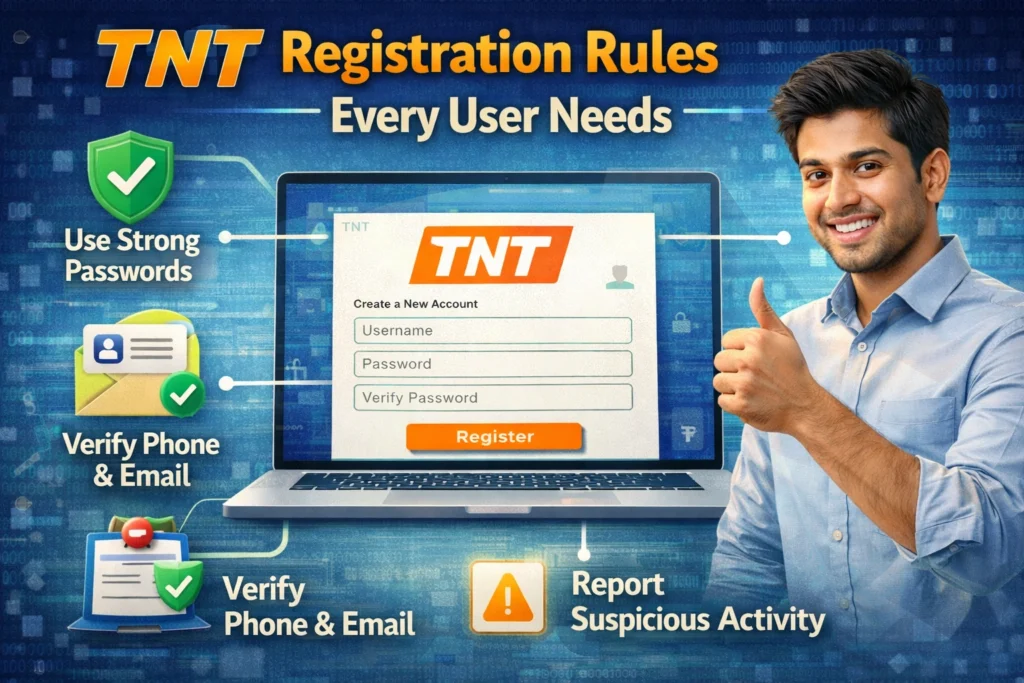
TNT Registration Rules Every User Needs
If you use a TNT SIM in the Philippines, registration is not optional. Under the SIM Registration Act, TNT users must register their SIM details with their telecom provider. For new SIMs, registration is required before activation, and registration is free.
The good news is that TNT registration is usually quick when you already have your details ready. Most users only need their mobile number, personal information, a valid government ID, and a clear selfie. The official self-service channel is the Smart registration portal, and TNT’s own FAQ points users there as well.

What are the main TNT registration rules?
The basic rule is simple: every TNT SIM must be registered to the real user. The law and its IRR say SIMs must be registered as a requirement for activation, and this also covers eSIMs and other SIM variations. TNT’s official FAQ adds that new SIMs must be registered first before they can be activated and used for calls, texts, or data.
Another important rule is that registration must match the actual owner or authorized user. You should use true information, upload a valid ID, and confirm that the details you submit are correct. The registration process also includes an attestation and privacy notice.
Who needs to register a TNT SIM?
Anyone using a TNT SIM needs to follow the registration rules. The law applies to new users, existing users, and even special cases like minors, foreign nationals, business entities, and eSIM users. The IRR also says that data-only SIMs, broadband modem SIMs, machine-to-machine SIMs, and IoT-related SIMs are covered.
For readers today, the practical takeaway is easy: if you are buying a new TNT SIM now, it has to be registered before it becomes active. Older unregistered SIMs were subject to deactivation under the law’s rollout period, so the safe approach is to make sure your number is already properly registered and updated.You can also read: TNT SIM Policy Updates 2026
What information do you need for TNT registration?
For individual users, the required details are your full name, date of birth, sex, present or official address, the type of ID you are using, and the ID number. You also need to enter the mobile number and the assigned serial number during registration. TNT’s official FAQ and Smart’s guide also note that you should be ready with a selfie and your personal details before starting.
A smart tip here is to prepare everything before opening the form. Have your ID photo ready, your selfie clear, and your phone nearby so you can receive the OTP without delays. This makes the whole process much smoother.
What valid IDs does TNT accept?
The official list includes common government-issued IDs such as a passport, PhilSys or Philippine Identification, SSS ID, GSIS e-Card, driver’s license, NBI clearance, police clearance, PRC ID, OWWA ID, BIR ID, voter’s ID, senior citizen card, UMID, PWD card, and other valid government-issued IDs with a photo.
The easiest way to avoid rejection is to use a current, readable ID. If the image is blurry, cropped badly, or expired, your application may not go through properly. Smart’s own photo guide says the text on the ID should be readable and the card should fit clearly inside the frame.
How to register your TNT SIM online
The simplest method is online. Go to the official registration portal, enter your TNT mobile number, receive and verify the OTP, fill in your personal details, upload your ID and selfie, then wait for the confirmation message. Smart’s official guide also advises users to keep the control number after submission in case further verification is needed.
If you do not want to use the website alone, TNT’s official FAQ says you can also get help through Smart Stores, the hotline, Facebook Messenger, and the GigaLife app. That is helpful for users who get stuck during the process or need extra assistance.
TNT registration rules for minors
Yes, minors can use a TNT SIM, but there is a special rule. TNT’s official FAQ says the SIM of a user below 18 cannot be registered under the minor’s own name. It must be registered under the parent or legal guardian. The IRR also says the SIM registration for a minor must be under the name of the parent or guardian.
There is also a useful follow-up rule many guides skip. TNT says that once the user turns 18, the now-adult user may visit a Smart Store and file for a transfer of ownership. That makes this a good detail to include because it answers a real question users often have later.
TNT registration rules for foreigners and tourists
Foreign nationals also need to register their TNT SIM. TNT’s official FAQ says tourists and foreign nationals are required to register, and the IRR adds an important detail: a tourist SIM is only valid temporarily for 30 days, unless there is an approved visa extension.
For tourists, the usual requirements include a passport, proof of address in the Philippines, and a return ticket or another ticket showing the departure date and time. For other foreign nationals with different visa types, TNT lists a passport, proof of address, an Alien Employment Permit from DOLE, and an Alien Certificate of Registration Identification Card from the Bureau of Immigration.
What happens if you do not register or if your SIM is deactivated?
Under the law, failure to register an existing SIM during the prescribed period led to automatic deactivation. The law and IRR also say a deactivated SIM may only be reactivated after registration, and the IRR specifies that reactivation must be done not later than five days after automatic deactivation. TNT’s FAQ also warns that remaining load may be forfeited if the SIM is deactivated for non-registration.
That is why this topic matters so much. A SIM is not just a number anymore. It may be linked to banking alerts, OTPs, work messages, delivery updates, and personal contacts. Losing access can create bigger problems than most users expect.
What if your TNT SIM is lost, stolen, damaged, or transferred?
TNT’s FAQ says a lost or stolen SIM should be reported to the telecom provider right away, and it specifically says within 24 hours. For a damaged SIM, users can go to a Smart Store and apply for a replacement SIM with the same registered number. The IRR also says telecom providers must have user-friendly ways for people to report lost or stolen SIMs and request changes or deactivation.
There is another newer rule that matters for some users. TNT’s October 2025 terms say that if you are using a TNT Multi SIM, both the physical Multi SIM and every associated eSIM must be registered, and all of them must be under one single owner’s name.
Easy tips to avoid TNT registration problems
Use a clear selfie with good lighting, a plain background, and no filters. Face the camera directly, avoid hats or glasses that hide your features, and do not crop the photo too tightly. For your ID image, make sure the card is readable, not expired, and fully visible in the frame. These are simple tips, but they can save you from rejection and repeat uploads.
Another good tip is to save your confirmation details. Smart’s guide says to keep your control number in case your registration needs further verification later. It is also smart to double-check every field before submitting, especially your birthday, address, and ID number.
FAQs
Final Words
The TNT registration rules are actually easy once you break them down. Register before activation, use real details, prepare a valid ID and selfie, follow the right rules for minors or foreigners, and report lost SIMs quickly. If you stick to the official portal and keep your records, the process is much less stressful.