
TNT Registration ID Mistakes To Avoid 2026
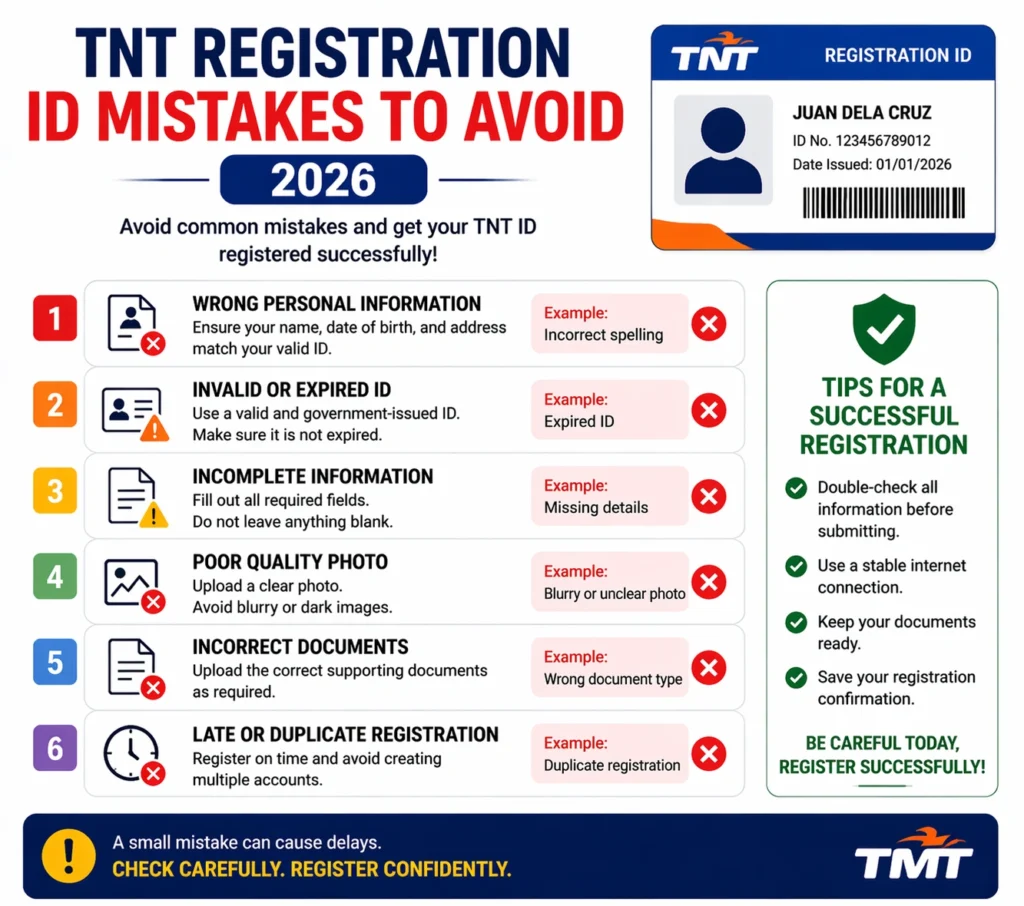
Registering your TNT SIM card doesn’t have to be confusing or stressful. But if you make simple mistakes, your registration might fail or get delayed. In this guide, I’ll walk you through the most common TNT SIM registration ID mistakes people make and how to avoid them. Think of this as friendly advice that saves you time and keeps your number active.
Not Using a Clear, Readable ID Photo
One of the biggest reasons TNT SIM registration fails is because the photo of the ID you upload is blurry, faded, or hard to read. The system needs to see your full name, photo, and ID number clearly for verification.
Tip: Use good lighting and a steady hand when taking photos of your ID. A clear image reduces the chances of rejection.
Uploading the Wrong Type of ID
Not all IDs will work for SIM registration. You must use a government‑issued ID that includes your photo and full details. If you upload something like a student card or a library card by mistake, the system won’t accept it.
Tip: Check the list of accepted IDs before uploading so you don’t waste time. Make sure your ID shows your full name and birthday clearly.
Mistyping Personal Details
If the information you enter (such as your name, birthday, or address) doesn’t match exactly what’s on your ID, your registration might be rejected. This is one of the most common mistakes people make.
Tip: Double‑check every field before submitting. Even one wrong letter can cause a mismatch.
Not Receiving or Entering the OTP Correctly
TNT SIM registration requires a one‑time password (OTP) sent to your phone. If you don’t receive this code or enter it incorrectly, your registration can’t proceed. Sometimes the OTP might be delayed or not come at all, especially if your signal is weak.
Tip: Make sure you have good signal and enough balance to receive texts. If you don’t get an OTP, try again after a few minutes.
Uploading Too Large or Wrong File Formats
Some registration portals only allow photos under a certain size (often around 2MB) or specific formats like JPG or PNG. If your image is too big or in an unsupported format, the upload might fail.
Tip: Resize your photos before uploading. Most phones have options to reduce file size without losing too much quality.
Using a Slow or Unstable Internet Connection
Registration errors can happen simply because the internet connection is weak or disconnects during the process. This might cause your upload or form submission to fail.
Tip: Use a stable Wi‑Fi connection or make sure your mobile data signal is strong before you start registration.
Forgetting to Take a Selfie with Your ID
TNT SIM registration often requires you to take a selfie holding your ID so the system can match your face with the photo on your ID. If you skip this or do it incorrectly, your registration might get rejected.
Tip: Make sure your selfie clearly shows your face and the ID in one frame without any blur or shadows.You can also read: TNT SIM Safety Tips For Users 2026
Not Saving Your Control or Reference Number
After you submit your registration, the system may give you a control number or reference code. Some people forget to save it. If there’s an issue later, this number can help you check the status of your registration or follow up with support.
Tip: Take a screenshot or write down your reference number after you finish registration.
Trying to Register on a Desktop Without Switching to Mobile View
Some people try to register on a computer browser without switching to mobile view. This can cause buttons like “Take Photo” or “Upload” not to work properly, and the registration may fail.
Tip: Use your phone’s browser or a mobile device to register for the smoothest experience.
Ignoring Errors and Trying the Same Steps Again
If something goes wrong and the portal gives you an error message, repeating the same exact steps often won’t fix it. You might end up stuck or even blocked from trying for a while.
Tip: Read the error message carefully. Try simpler fixes like clearing cache, restarting your phone, or trying another browser before starting again.
FAQs
Final Words
TNT SIM registration doesn’t have to be hard — but a few small mistakes can make it frustrating. By avoiding common pitfalls like unclear ID photos, incorrect personal details, and upload problems, you’ll save time and get your SIM registered smoothly. Be patient, follow the right steps, and your registration will go through without stress.